
THE CHALLENGE
Video Is More Than a Collection of Images
Video gives AI something a single image cannot: context over time.
Objects move. People interact. Scenes change. An event in one frame can mean something completely different when you see what happened before or after it.
Anotag turns video into usable training data by capturing objects, movement, actions, and events across sequences—so models can learn not just what is in a scene, but what is happening.
Understand What Changes Over Time
Capture movement, actions, interactions, and events across video sequences.
Keep Objects Consistent Across Frames
Track the same objects throughout a sequence with consistent identities and boundaries.
Build Better Training Data
Create reliable video datasets for detection, tracking, recognition, and temporal understanding.
VIDEO ANNOTATION CAPABILITIES
Annotate Video Around What Your Model Needs to Understand
Different video applications need different types of annotation. We build the workflow around what your system needs to detect, track, recognize, or understand.

Frame-by-Frame Annotation
Label objects, regions, and attributes across individual video frames.

Object Tracking
Follow the same object across frames to capture movement, position, and trajectory.

Temporal Segmentation
Mark when an action, activity, or event starts and ends within a video.

Action Recognition Annotation
Identify human actions, activities, and behaviors across video sequences.

Event Detection
Mark specific events or moments that matter to your application.
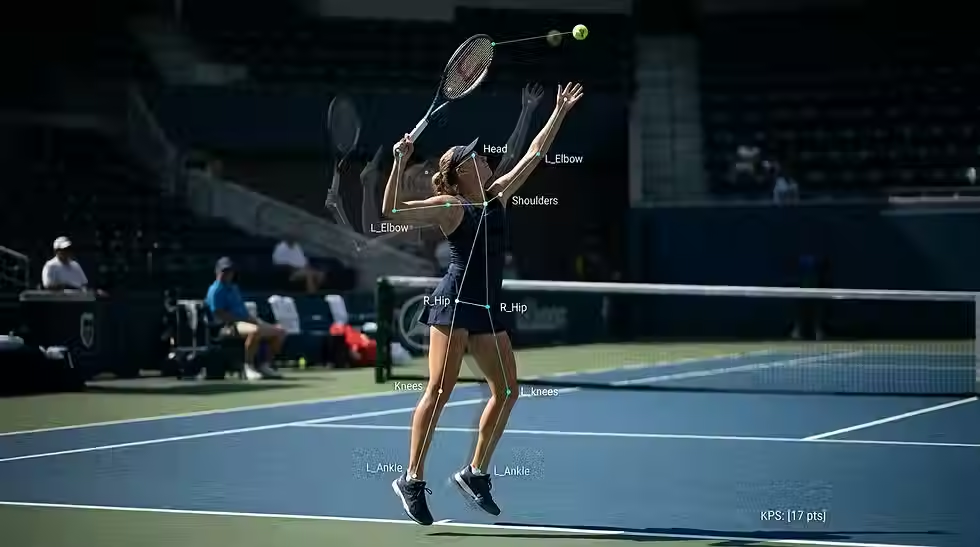
Keypoint Tracking
Track important body, object, or structural points as they move through a sequence.
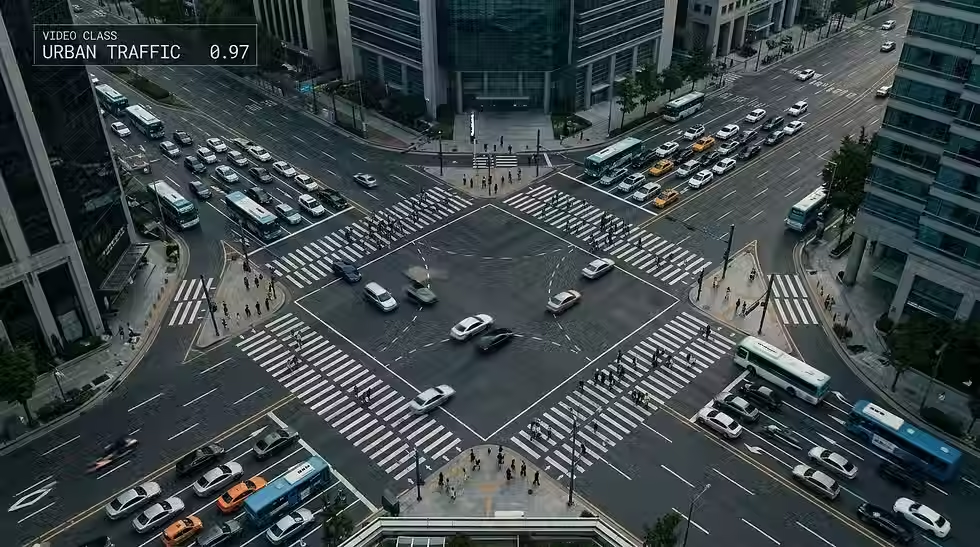
Video Classification
Assign categories or attributes to complete video clips based on their content or activity.

OCR & Text Tracking
Identify and track text appearing within moving scenes, screens, documents, or other video content.
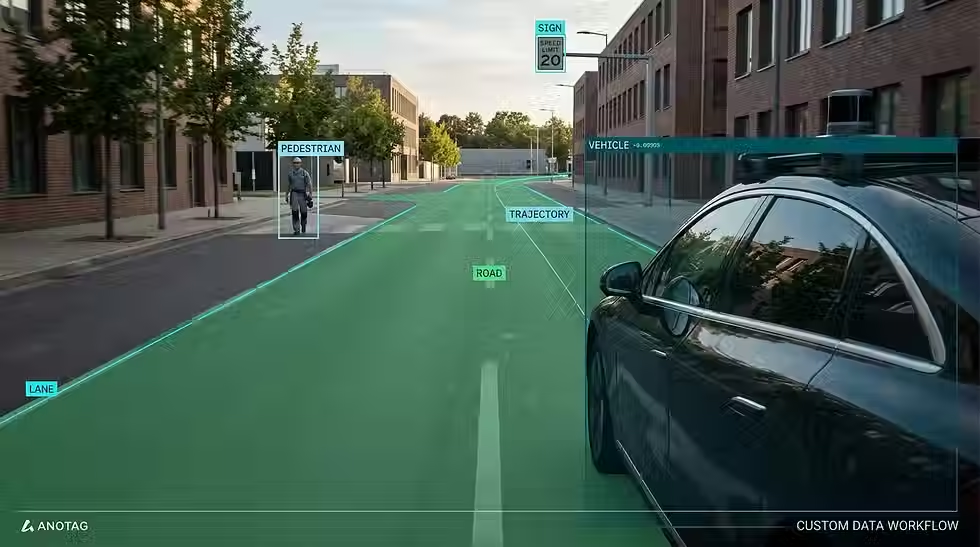
Custom Video Annotation
Create custom workflows for your application-specific requirements.
TEMPORAL ANNOTATION
Capture What Changes From Frame to Frame
Video adds a dimension that images don't have: time. Annotation must preserve what happens across frames so models can understand movement, actions, events, and changing scenes.
The goal isn't to annotate every frame independently. It's to preserve the story unfolding across the video.
VIDEO ANNOTATION PROCESS
From Raw Video to Training-Ready Data
Every project starts by understanding what your model needs to learn and ends with a validated dataset ready for your AI workflow.
AI + HUMAN ANNOTATION
Use AI for Speed. Use People for Context.
Automation can handle repetitive annotation work quickly. But video often involves ambiguity, movement, occlusion, and context that still require human judgment.
We combine automated assistance with human review where it matters.
AI-Assisted Annotation
Use automated tools to accelerate repetitive annotation across large video datasets.
Object Tracking
Propagate object annotations across frames while correcting complex sequences manually.
Human Review
Review complex or ambiguous sequences where deeper context matters most.
Automated Validation
Check missing labels, inconsistent tracking, broken sequences, and potential annotation errors.
VIDEO ANNOTATION QUALITY
Quality Has to Hold Across Every Frame
A video dataset can look accurate frame by frame and still have problems when object identities, boundaries, or actions become inconsistent over time.
Our quality checks look at both the individual annotations and how they hold together across the sequence.
Clear Annotation Guidelines
Define consistent rules for objects, actions, events, and temporal boundaries.
Frame-Level Quality Checks
Identify missing, incorrect, duplicated, or inconsistent annotations across frames.
Frame-to-Frame Consistency
Ensure annotations remain consistent as objects and scenes change.
Human-in-the-Loop Review
Have trained reviewers inspect difficult or ambiguous video sequences.
Inter-Annotator Review
Compare annotations across reviewers to identify potential inconsistencies.
Edge-Case Analysis
Review difficult situations involving occlusion, rapid movement, crowds, and sudden changes.
DOMAIN & SCALE
Video Annotation Built Around Your Use Case
Video looks very different depending on where it comes from.
A camera on a road, a factory floor, a sports field, or a retail store all require different annotation decisions.
Our workflows can be adapted to the environment, objects, actions, and events your project needs to capture.
WHY ANOTAG
Built Around the Way Video AI Works
Built for the complexity of real-world video AI, combining precise annotation, human expertise, and scalable quality workflows.
Temporal Expertise
Design workflows around movement, sequences, and time-dependent video information.
Human + AI Workflows
Combine intelligent automation with human judgment when context matters.
Consistent Object Tracking
Maintain object identities and annotation consistency across entire video sequences and complex scenes.
Multi-Layer Quality
Validate frame-level accuracy and annotation consistency throughout video sequences across complex scenes.
Scalable Infrastructure
Expand annotation capacity efficiently as video volumes continue growing across projects and industries.
Workflow Integration
Deliver datasets that integrate seamlessly with existing AI, ML, and MLOps systems and workflows.
SECURITY & DELIVERY
Your Video Stays Controlled from Upload to Delivery
Secure workflows that protect your video data across every stage, from upload and annotation to validation, processing, and final delivery.
Encrypted Transfers
Protect video during uploads and downloads through secure transfer channels.
Controlled Access
Restrict dataset access to authorized users and project teams.
Secure Video Handling
Keep sensitive video within controlled environments throughout every project stage.
Regulatory Considerations
Support workflows aligned with applicable privacy, security, and regulatory requirements
Controlled Delivery
Deliver validated datasets through secure channels in required formats.
WHO THIS IS FOR
Built for Teams That Need High-Quality AI Data at Scale
AI & ML Teams
Scale training data without expanding internal annotation operations.
Computer Vision Teams
Turn complex visual data into precise, model-ready datasets.
Autonomous Systems Teams
Accelerate data preparation for perception models.
Robotics & Industrial AI Teams
Build specialized datasets for machines operating in real-world environments.
Security & Surveillance Teams
Process large video volumes into structured, training-ready data.
Product & Engineering Teams
Extend internal capabilities with specialized annotation support.
Sports & Media AI Teams
Transform high-volume video into structured data for AI applications.
Enterprise AI Teams
Scale data operations across multiple AI projects and business units.
FAQ
Questions About Video Annotation
Clear answers to common questions about our video annotation capabilities, workflows, quality, security, and delivery.